See your whole day at a glance.
DayByDay is a day planner by Zrindy that shows your schedule as a 24-hour circle. Plan routines, events, tasks and habits in one place. It works without an account, and your plans are stored on your device by default.
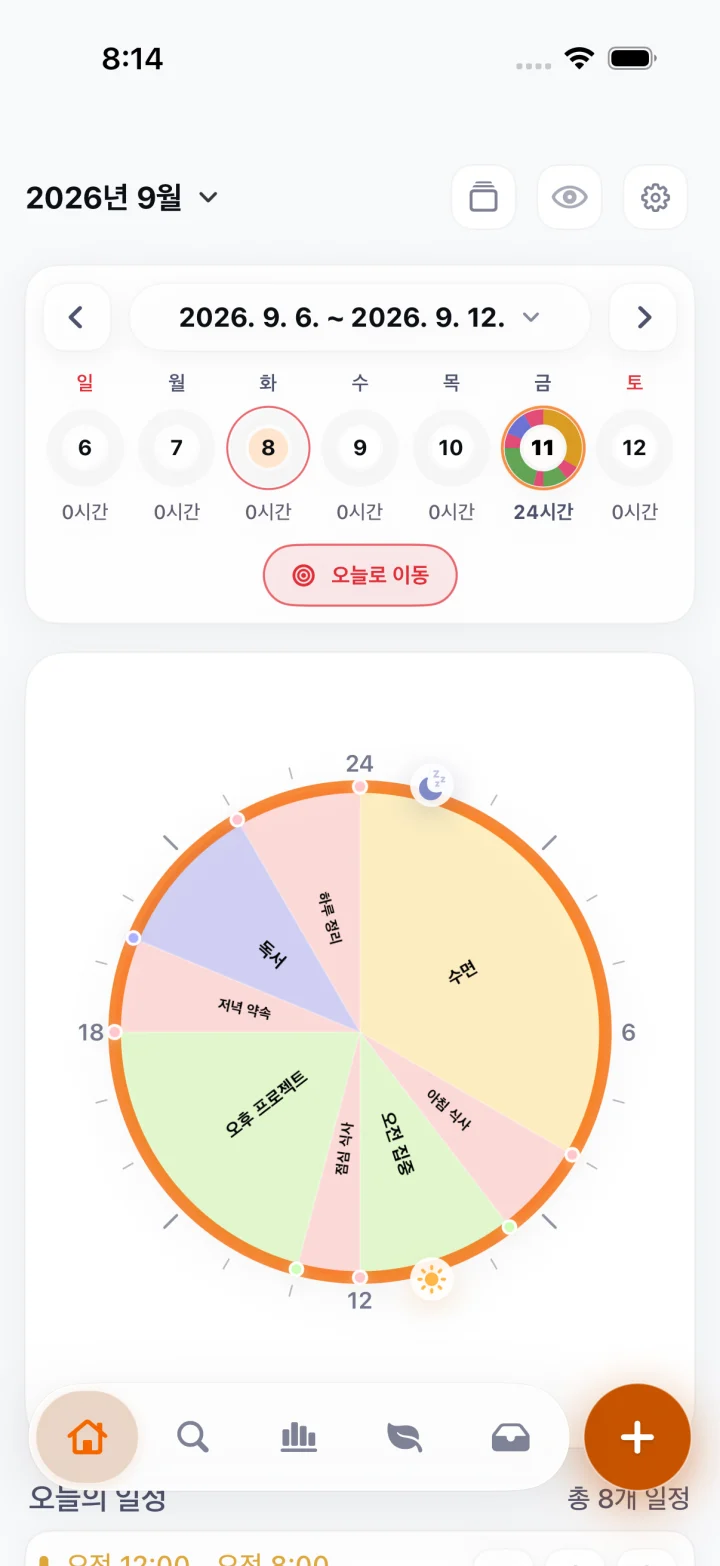
Plan the day the way you live it
DayByDay keeps time-based plans and flexible tasks apart, so the day stays realistic.
Your day as a circle
See every hour of the day on a circular timeline next to an agenda, so free time and overlaps are easy to spot.
Routines and repeating plans
Build a daily routine from sleep and wake times, keep weekly schedules, and switch between timetables.
Tasks and habits
Keep an inbox of tasks, place them into the day when you are ready, and track habits with streaks.
Reminders and widgets
Get start and finish reminders, and check the day from Home Screen widgets and Apple Watch.
Optional Google Calendar connection
If you also keep plans in Google Calendar, DayByDay can show those events on your circular timeline and import the ones you choose.
01
You choose to connect
Google Calendar is optional. The connection starts only when you tap Connect Google Calendar in DayByDay.
02
Google asks for your approval
Sign-in happens on Google’s own page. DayByDay never sees your Google password.
03
You pick what to show or import
DayByDay lists your calendars and shows their events on your timeline. You choose which events to import.
04
Disconnect at any time
Disconnect in the app or remove DayByDay from your Google Account’s third-party connections.
Read-only access, used only for this feature
calendar.calendarlist.readonly to list your calendars and calendar.events.readonly to read event titles, notes, dates and times from the calendars you select. DayByDay never creates, edits or deletes events in Google Calendar.- Calendar data is read on your device and imported events are stored on your device. They sync only to your private iCloud if you turn on iCloud Sync, and enter schedule backup only if you separately enable it.
- Google user data is not used for advertising, sold, or used to train AI models.
- DayByDay’s use and transfer of information received from Google APIs adheres to the Google API Services User Data Policy, including the Limited Use requirements.
Privacy by default
No sign-up is needed. Optional features only process what they need.