

ScanWords collects words encountered in English reading together with their original context. Level estimates and the starter dictionary are aids, not a comprehensive translator.
Collect your first words
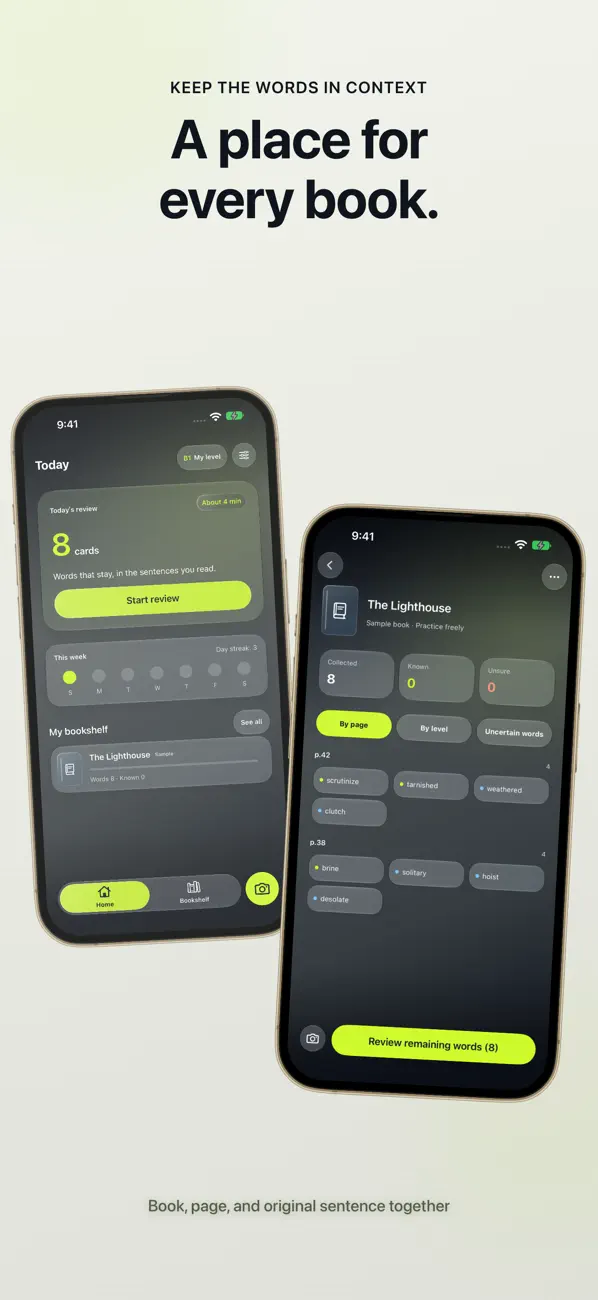
Saving the sentence helps you remember where you encountered a word.
- Scan a book, choose a photo or paste text. You can combine multiple scans.
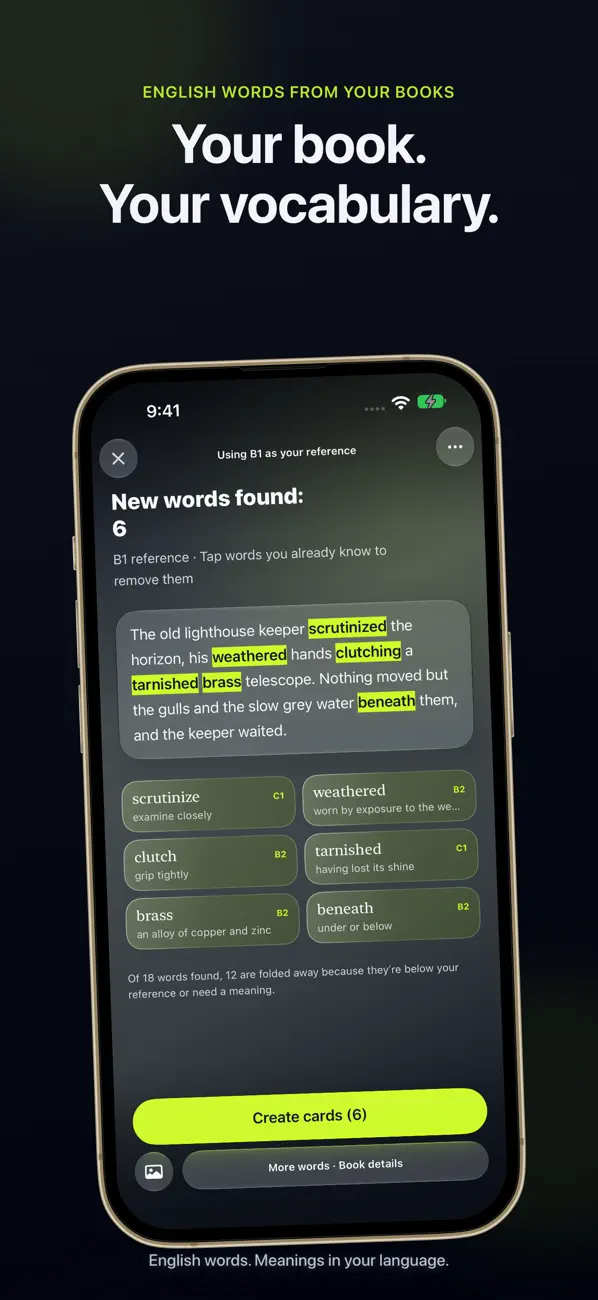
- Check the recognized English text and select words to save.
- Keep the original sentence and book/page details, then check or write the meaning.
Review in context
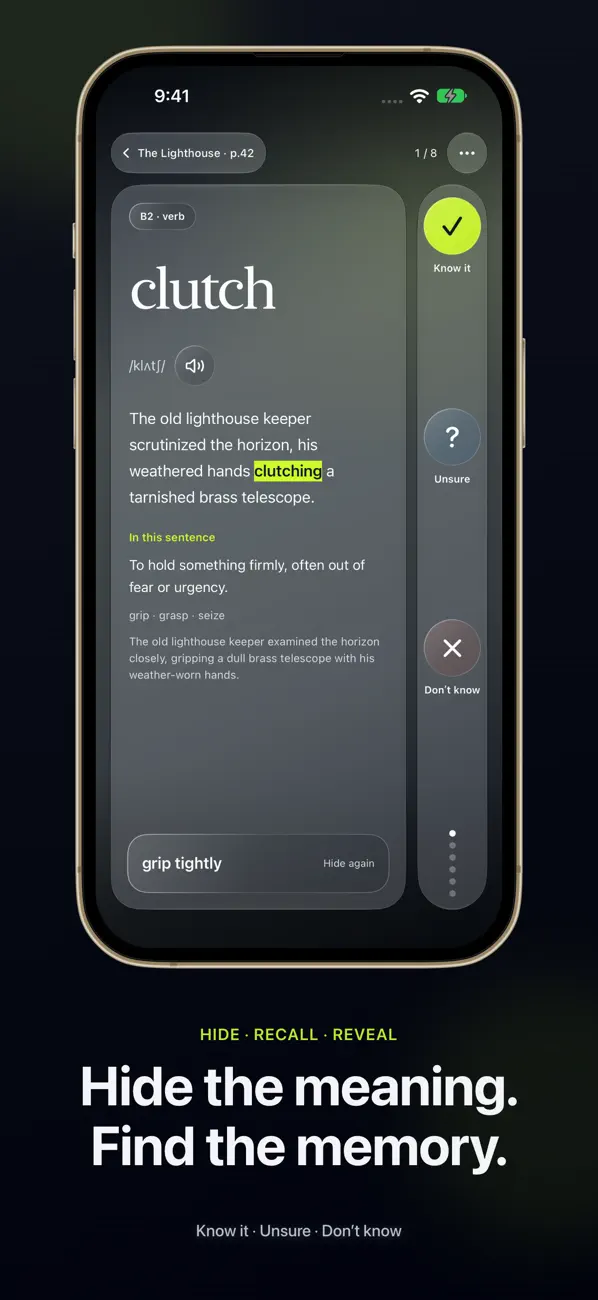
Review by hiding answers, marking how well you know a word and using choices or sentence cloze practice. Speech playback is available where supported. History and optional reminders help you revisit words.
Dictionary and free saves
A small offline starter dictionary is included, and you can add meanings outside it. The first three saved scans are free; Plus offers unlimited saves. Existing words and practice remain available after the subscription ends.
Check OCR errors and missing meanings
Check the original image and read the recognition result before saving. A missing meaning may be outside the starter dictionary; verify it in a trusted source and add it yourself.
Official app previews
These images come from the public App Store listing. Screens can differ by language, device and app version.
Common questions
Does it translate books in every language?
This guide covers English reading and vocabulary. Interface-language support is different from the language of learning material.
Will I lose words when Plus ends?
Under the published terms, existing saved words and practice remain available.
Does your screen look different?
The app changes over time. Include your app version and the steps you tried when contacting support. Do not send passwords, payment details or API keys.
dev@zrindy.comThis guide was translated from the developer’s source text. If a step is unclear, compare the original or contact support. Read the original